Using SASS library in React projects

Including SASS into your React projects depends on what you use to bootstrap your application. Here, I will show you how to use SASS in Create React App and Next.js based projects.
Adding SASS into Create React App projects
First, you need to boot your application as usual by using create react app:
npx create-react-app my-app
cd myapp
After you application has finished installing, install node-sass package using npm or Yarn
npm install node-sass
# or
yarn add node-sass
Then just rename your CSS files with .scss or .sass format:
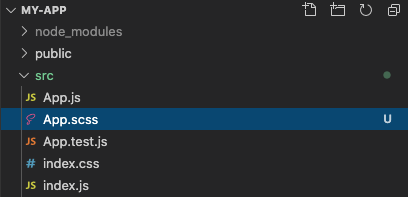
Finally, adjust your stylesheet import to the new .scss file:
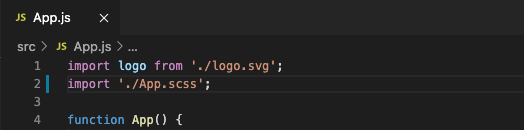
And that’s it. You can start using SASS features such as variables, nestings, imports, etc.
Adding SASS into Next.js projects
Just like Create React App, Next.js already supports SASS format for CSS. All you need to do is to install sass package into your Next.js project:
npm install sass
#or
yarn add sass
And you can start importing .scss and .sass files into your Next.js JavaScript code.