The HTML <pre> tag explained

The HTML <pre> tag is used to render a preformatted text on the browser page.
A preformatted text is a text that preserves the way it’s written in the source file when displayed on web browsers.
For example, the following <p> element text will be displayed as one line on the browser page:
<p>
  Hello, World!
    This is Nathan from sebhastian.com
      Hope you have a nice day!
</p>
The rendered text will be as shown below:
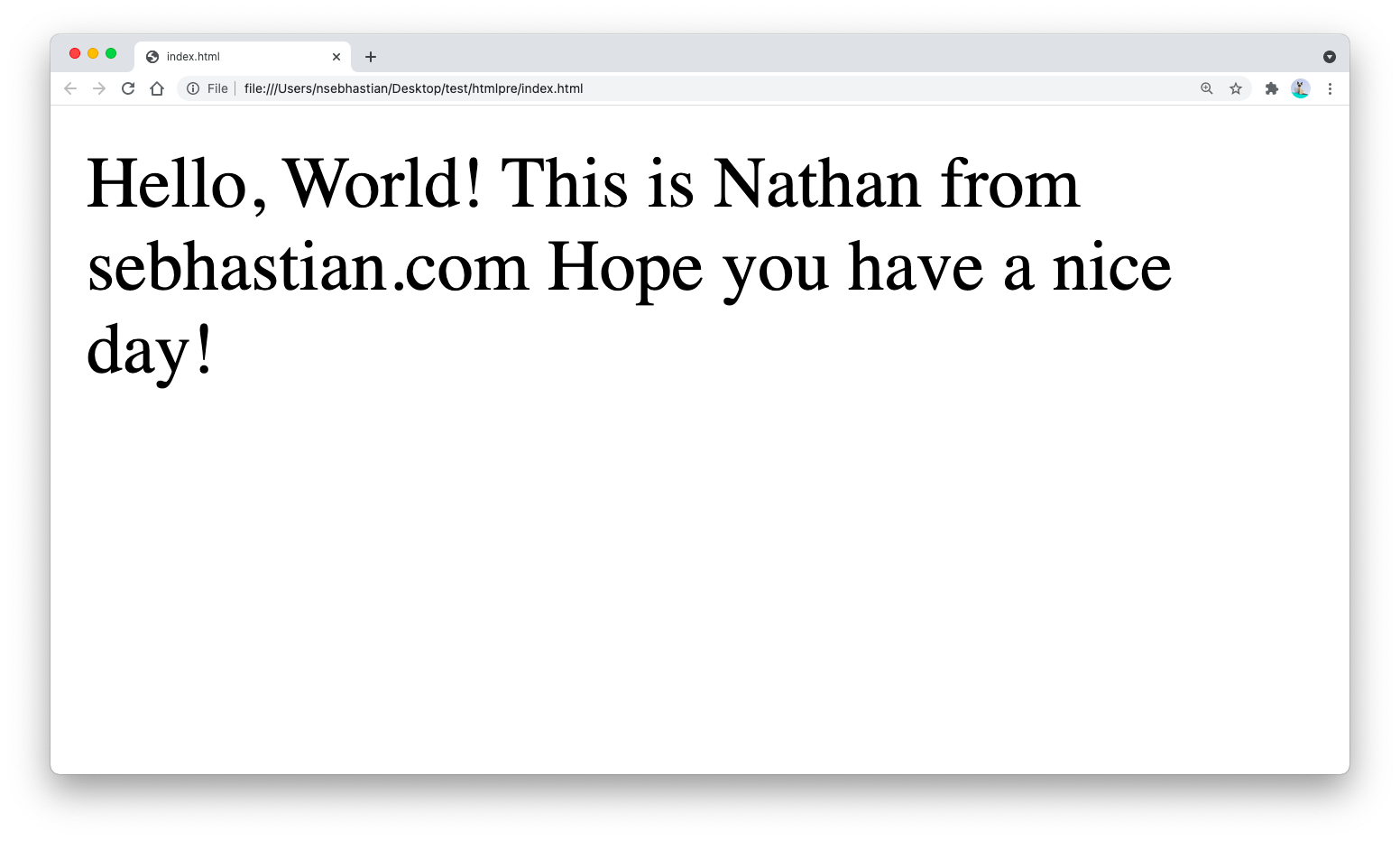
The result above shows that the spacing and line breaks inside the <p> tag is ignored by the browser.
However, when you write the same text using the <pre> tag:
<pre>
  Hello, World!
    This is Nathan from sebhastian.com
      Hope you have a nice day!
</pre>
Then the result will be as follows:
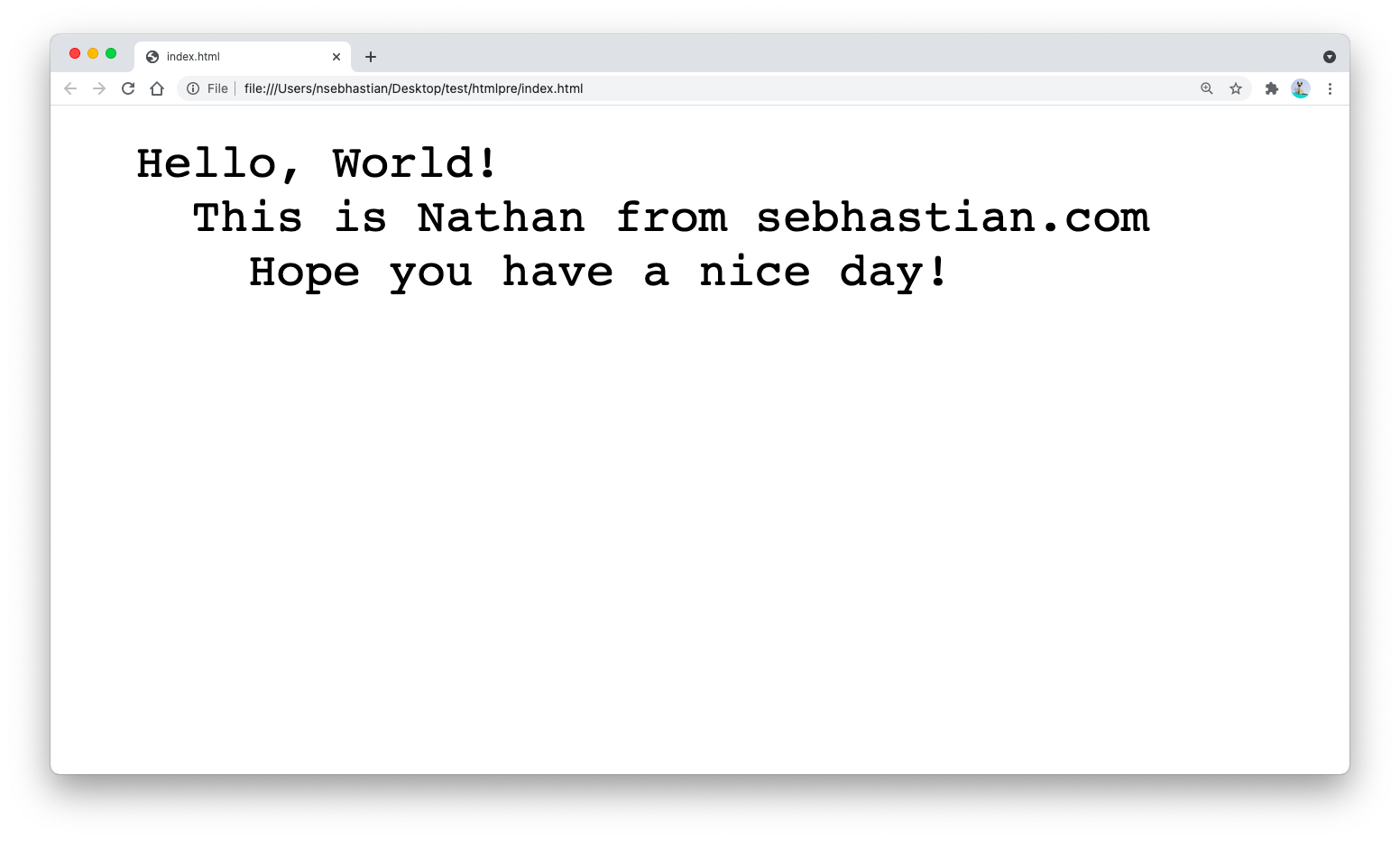
As you can see from the above comparison, any text you wrap using <pre> tag will be rendered as it’s written in the source HTML file.
The default font for the text will be a monospace font, and any space or line breaks you add inside the <pre> tag will be rendered on the browser.
A <pre> tag content width and height is always fixed. If your container element is smaller than the <pre> element, then the <pre> tag will ignore the container element size.
To wrap the <pre> tag content, you need to specify the overflow:auto CSS property in the container element.
The following example:
<div style="width:150px;height:50px;overflow:auto;">
  <pre >
    Hello, World!
      This is Nathan from sebhastian.com
        Hope you have a nice day!
  </pre>
</div>
Will be rendered as follows:
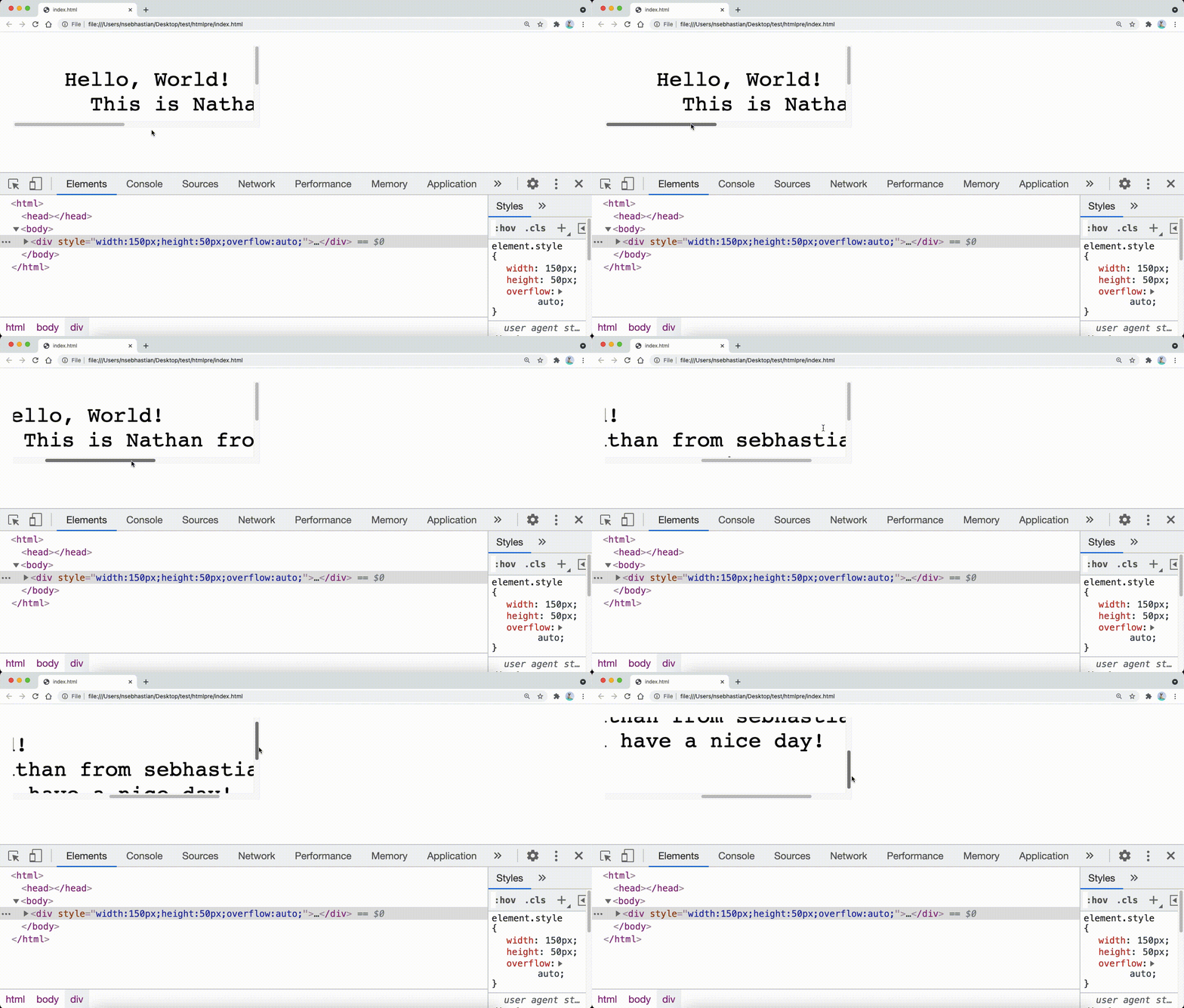
The browser automatically creates a horizontal and/or a vertical scrollbar(s) for <pre> tag content that is bigger than its container.
When to use the pre tag
In the past, the <pre> tag is used by web designers and developers to display a certain part of a website with unique visual styling.
Today, CSS does a much better job in empowering webmasters to customize the visual style of their websites.
The use of <pre> tag is less popular nowadays except for programming tutorial websites where the <pre> tag is used together with the <code> tag to display multi-line code block examples.