Using CSS to center image inside a div tag

When you need to center an image inside a <div> tag, you can apply the text-align:center CSS property to the <div> tag.
Suppose you have the following HTML document:
<div>
  <img src="image.jpeg">
</div>
Then you can write the following CSS rule in your stylesheet file or inside the <style> tag:
.center {
  text-align: center;
}
Then, you need to add the class into the <div> tag that contains the <img> tag.
This will be enough to center the image:
<div class="center">
  <img src="image.jpeg">
</div>
The browser output will be as shown below:
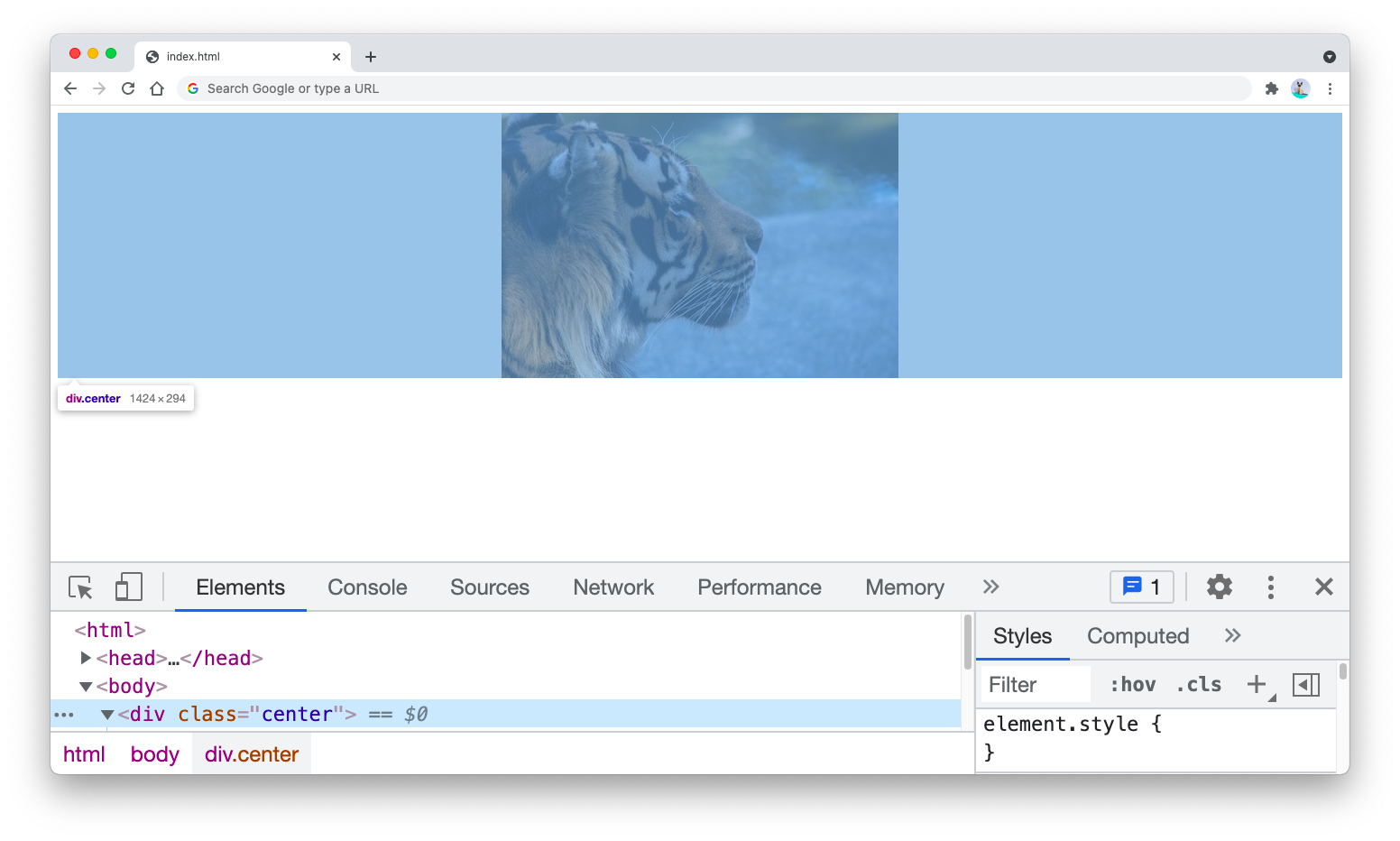
But using text-align:center is not the only way to center an image horizontally inside a <div> tag, as you’ll see in the next section.
Center an image using flexbox model or CSS grid
Alternatively, you can also use the flexbox model CSS rule to center an image inside a <div> tag as shown above.
The following CSS rule will work like the text-align:center style:
.center {
  display: flex;
  justify-content: center;
}
You can replace the display:flex property with display:grid property to use CSS grid and achieve the same goal.
Center an image vertically in a div
Before you can center an image vertically inside a <div> tag, you need to apply either flex or grid display model to your <div> tag.
Once you apply the display property, then you can add the align-items: center property to the <div> tag.
You also need to add the height property to the CSS rule so that the image will be placed in the middle of the <div> element height.
The following CSS rule will center your image both horizontally and vertically in the <div>:
.center {
  display: flex;
  justify-content: center;
  align-items: center;
  height: 500px;
}
The output will be as follows. Notice how there’s a space at the top and the bottom of the image marked by the blue bar:
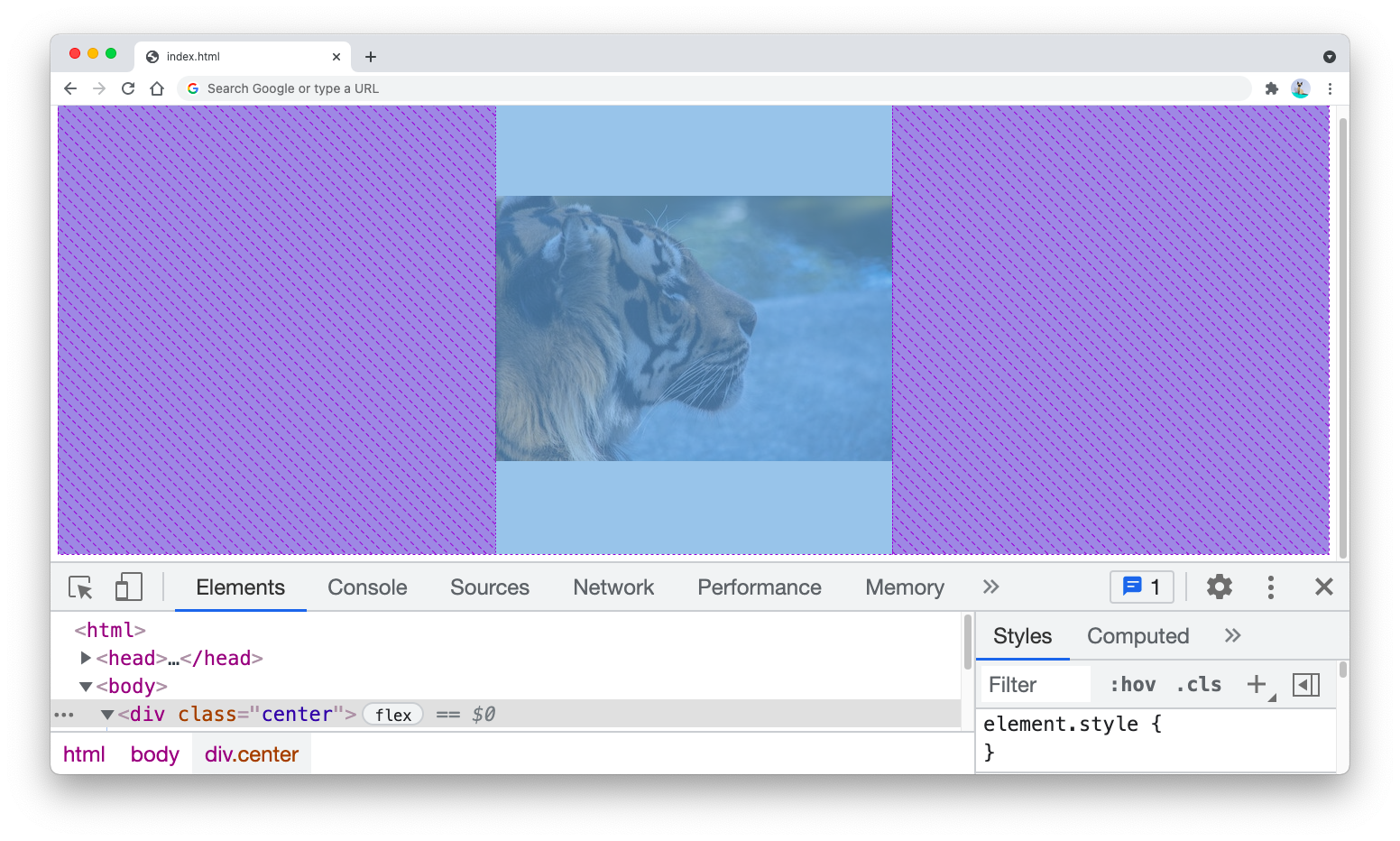
You can use CSS grid by replacing display:flex property above with display:grid.
If you want to center an image only vertically, then you can remove the justify-content:center property.
Here are reusable CSS class rules that you can add to your stylesheet:
.center-h {
  display: flex;
  justify-content: center;
}

.center-v {
  display: flex;
  align-items: center;
}

.h-500 {
  height: 500px;
}
The center-h class stands for center horizontal while center-v stands for center vertical.
By writing display:flex in both selectors, the classes will be self-sufficient for their styling purposes.
The h-500 is for adding the height to the <div> tag for centering horizontally. You can replace this with any other height value you need, such as h-1000 or h-800.
Now you can add the right class above to the <div> tag anytime you want to center its content:
<div class="center-h center-v h-500"></div>
<!-- or -->
<div class="center-h"></div>
<!-- or -->
<div class="center-v h-500"></div>
And that’s how you can center an image inside a <div> tag with CSS 😉